I'm Vamshi. My friends call me 'Chotu'. I'm currently based in Irvine, California, one of the world's most progressive and developed cities blessed with a benevolent climate. I enjoy all things related to technology from programming to web design. I try to learn new stuff every day to be on top of Python development and its best practices. I'm a soccer fan and fan of Leonel Messi. If I'm not busy working at the office you'll most likely find me fiddling with my Playstation controller or binge watching soccer and my favorite TV shows.
Portfolio
Movie Trailer Website
Website Designing
Personal Portfolio Website
Portfolio Designing
Log Analysis Project
Tool Designing
Item Catalogue
Web Application
Neighborhood Map
Map Design
Movie Trailer Website
Summary
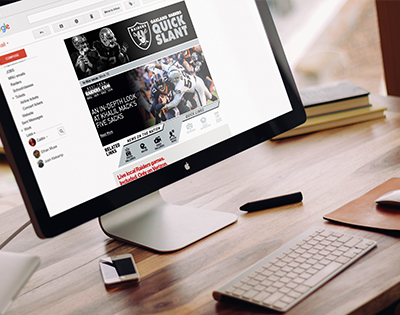
The movie trailer project fetches favorite movies of a user and displays all such movies in an html page which is automatically opened in the default web browser.
Course:
Udacity Full-Stack Nanodegree Project#1
How to Run
• 1. Download the source code in your computer.
• 2. Navigate to the folder in which you downloaded the repository.
• 3. Locate entertainment_center.py and edit the constants API_KEY, username and password of your choice.
• 4. Run the file entertainment_center.py
Requirements
• Python2/3.
• HTML.
• CSS.
Tools Used:
Python3, HTML and CSS.
Course:
Udacity Full-Stack Nanodegree Project#1
Date: March 2017
Category: Full-Stack Development
Portfolio
Summary
This is a webpage showcasing projects that I have worked on. The project uses HTML, CSS and Javascript.
Course:
Udacity Full-Stack Nanodegree Project#2
How to run the project
1. Download the source code in your computer
2. Navigate to the folder in which you downloaded the repository.
3. Open index.html file in any web browser to see the page.
4. Clicking on any image project opens a dialog showing details of the project.
Date: April - 2017
Category: Front-End Development
Log analysis
Summary
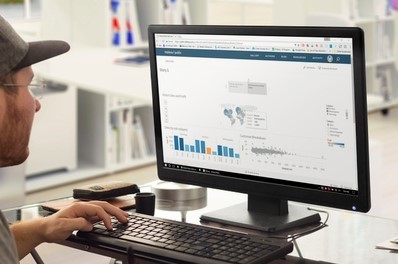
In this project I was tasked to create a reporting tool which can print reports based on real world web-application data, with fields representing informaton that a webserver would record, such as status codes and URL paths. This reporting tool is use Python program using psycopg2 module to connect the database.
Setup
1. Install Vagrant and VirtualBox
2. Download Fullstcak-nanodegree-vm
3. Download the data from here.
4. Unzip this file after downloading it. The file inside is called newsdata.sql.
5. Copy the newsdata.sql file and content of this current repository, by either downloading or cloning it from Here.
Launching the Virtual Machine
1. Launch the Vagrant VM inside Vagrant sub-directory in the downloaded fullstack-nanodegree-vm repository using command: vagrant up
2. Then Log into this using command: vagrant ssh
3. Change directory to /vagrant and look around with ls
How to run
This section will describe the SQL views I created for the code to function properly and how to run the program.
CREATE VIEW BRQSTS AS SELECT time::timestamp::date, COUNT (*) as wrqsts FROM log WHERE status LIKE '404 NOT FOUND' GROUP BY time::timestamp::date ORDER BY time ASC;CREATE VIEW timerqsts AS SELECT time::timestamp::date, COUNT (*) as requests FROM log GROUP BY time::timestamp::date;CREATE VIEW error_view AS SELECT timerqsts.time, (cast(BRQSTS.wrqsts as float)/cast(timerqsts.requests as float))*100 AS error FROM BRQSTS JOIN timerqsts on BRQSTS.time = timerqsts.time ORDER BY error;Running the queries:
1. From the vagrant directory inside the virtual machine,run logs.py using: python3 log-analysis.py
Summary
Lorem ipsum dolor sit amet, consectetur adipiscing elit. Duis sed dapibus leo nec ornare diamcommodo nibh ante facilisis.
Course:
Udacity
Problem Areas
• Lorem ipsum dolor sit amet, consectetur adipiscing elit. Duis sed dapibus leo nec ornare diamcommodo nibh ante facilisis.
Heading
Click HERE Lorem ipsum dolor sit amet, consectetur adipiscing elit. Duis sed dapibus leo nec ornare diamcommodo nibh ante facilisis.
Tools Used:
Lorem ipsum dolor sit amet, consectetur adipiscing elit. Duis sed dapibus leo nec ornare diamcommodo nibh ante facilisis.
Date: March 2017
Category:
Neighbourhood Map
Summary
Lorem ipsum dolor sit amet, consectetur adipiscing elit. Duis sed dapibus leo nec ornare diamcommodo nibh ante facilisis.Zepo.
How to run
Lorem ipsum dolor sit amet, consectetur adipiscing elit. Duis sed dapibus leo nec ornare diamcommodo nibh ante facilisis.
Installation
Lorem ipsum dolor sit amet, consectetur adipiscing elit. Duis sed dapibus leo nec ornare diamcommodo nibh ante facilisis.
References
Lorem ipsum dolor sit amet, consectetur adipiscing elit. Duis sed dapibus leo nec ornare diamcommodo nibh ante facilisis.
Tools Used:
Lorem ipsum dolor sit amet, consectetur adipiscing elit. Duis sed dapibus leo nec ornare diamcommodo nibh ante facilisis.
Date: March 2017
Category:
Pocket Clock
Lorem ipsum dolor sit amet consectetur.
Use this area to describe your project. Lorem ipsum dolor sit amet, consectetur adipisicing elit. Est blanditiis dolorem culpa incidunt minus dignissimos deserunt repellat aperiam quasi sunt officia expedita beatae cupiditate, maiores repudiandae, nostrum, reiciendis facere nemo!
Want these icons in this portfolio item sample?You can download 60 of them for free, courtesy of RoundIcons.com, or you can purchase the 1500 icon set here.